Showing posts with label Maya Tutorial. Show all posts

Thursday, 9 November 2017

Maya Tutorial: Atmosphere

Fig 1: Without Atmosphere added

Fig 2: With Atmosphere Added


Because of the addition of Arnold as the standard in Maya 2017 and 2018, the capabilities of producing realistic renders has increased. An example of this is with the Arnold Environment setting in the Arnold Render settings which allows for the addition of atmosphere to interact with lighting in the scene, it is also able to be customised to allow for many uses. Setting an Atmosphere allows for a more realistic render and Arnold has made it easier to enable this addition to the render in comparison to mental ray in older versions.

Maya Tutorial: Arnold Lighting

Fig 1: Arnold Area Lighting


Fig 2: Arnold Mesh Lighting and Area Lighting
Fig 3: Arnold Skydome
Here are some Lighting effects produced by the Arnold Lighting available on Maya 2017. While these types of Lighting were available in the older versions of Maya with the mental ray renderer, Arnold in Maya 2017 allows for more realistic lighting with its options being more in depth in achieving the required lighting for a scene.

Maya Tutorial: Arnold SSS


Fig 1: Default al.standard Material

Fig 2: Shallow Map Added

Fig 2: Mid Map Added

Fig 3: Deep Map Added

This class practice was about applying detailed skin texture using Arnold SSS. Using Arnold made the whole process of applying Shallow, Mid and Depth maps to texture for the model was very efficient in comparison to the previous versions of Maya.

(Model Provided by eat3D)


Thursday, 5 October 2017

Maya Tutorial: Ambient Occlusion and Wire Frame made with Arnold

Fig 1: Ambient Occlusion on Model

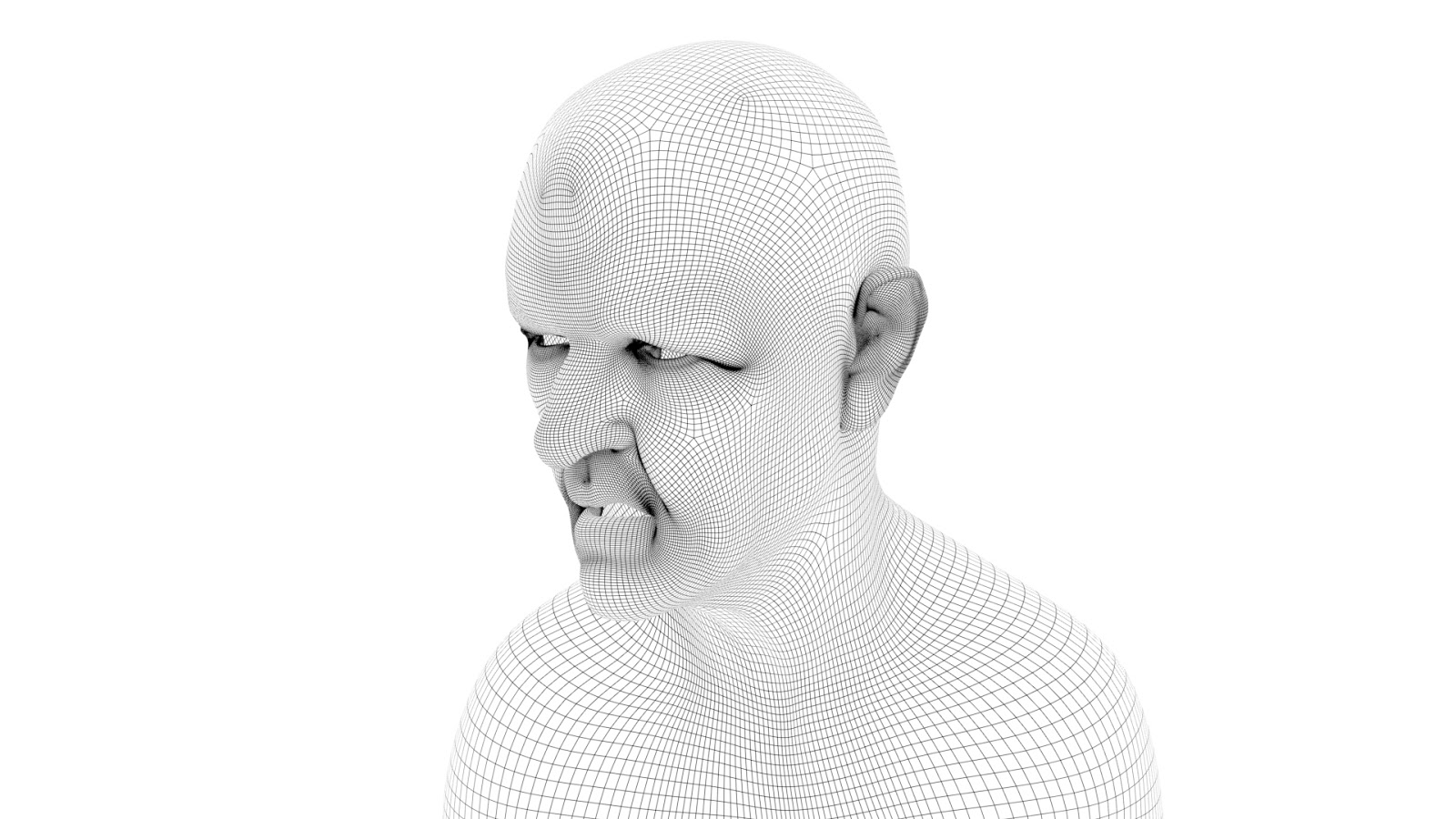
Fig 2: Wireframe on Model


Achieving Ambient Occlusion and Wireframe Renders in Maya 2017 is so much easier to achieve with the renderer Arnold. Instead of going through a long process to get these renders in the old versions of Maya with Mental Ray, with Arnold the process has been greatly simplified.

(Model Provided by eat3D)

Friday, 29 September 2017

Maya Tutorial: Rigging 3 Part 2 & 3- Conditional Squash and Stretch & No Flip Pole Vector

Fig 1: Default Model in the Maya Viewport

Fig 2: Model Stretched out in Maya Viewport

Fig 3: Model out stretched with a twist at the knee in the Maya Viewport

Fig 4: Render of the Default Model

 
Fig 5: Render of the model with arm bent

Fig 6: Render of Model with arm Stretched

Fig 7: Render of Model with leg bent with no Twist in the IK

Fig 8: Render of Model with IK twisted at -35

For these two tutorial I decided to do them together as they both used the same rig. One was about conditional squash and stretch, using nodes to enable stretching for certain reasons as well as to a point. While I did follow the tutorial step by step for the arm I was able to do the leg almost entirely independent, only using the tutorial when I was confused about what parts should be point constrained and the full length of the leg.
The other tutorial dealt with the Pole Vector in the knee and how to stop it from flipping when the knee bends in certain ways, enabling for easier and simpler pose ability. Again this was a simple tutorial and I was able to understand how the method worked relatively fast although the way that the Twist Control and Offset still has me a little confused as to the maths behind it working.
Overall both tutorials were relatively easy for me to get my head around and could prove to be useful in my project for my characters.

Maya Tutorials: Rigging 3 Part 1- Basic Squash and Stretch & Volume Perservation

Fig 1: Toadstool at its default


Fig 2: Toadstool Stretched out

Fig 3: Toadstool Flattened

Fig 4: Toadstool in the Maya Viewport
This Tutorial dabbles in how to produce Squash and Stretch effects in Maya through nodes as well as dealing with volume control with the model as it performs the squash and stretch actions. At first I was a little worried about the use of nodes as it seemed a bit confusing to me but by surprise, I found it to be very simple and was able to get the tutorial done relatively fast.

Friday, 19 May 2017

Maya Tutorials: Jet Pack Jones Progress

Fig 1: Jetpack Jones' Head Model

Fig 2: Jetpack Jones' Body Model
To be honest I have had a hard time working up the patience to get this model done, I could say that I had other things going on in my personal life and with the other projects but I left Jetpack Jones to gather dust this past year. However as I was modelling Ludlow, I felt more positive about modelling characters in general but it was too late. I want to restart the model from the ground up over summer to gain the skills of learning how to rig with the ribbon spine and so that I am more in tune with modelling in general come third year.

Mental Ray Part 5: Portal Lights

Fig 1: Before Portal Light

Fig 2: After Portal light
For this tutorial I had some issues with the physical sun and sky system when rendering however apart from that I was able to enable the portal light to light up the scene through final gather. I might go back in to play around with the samples a bit more for the shadows on the walls and increase the intensity of sun coming through the window, brightening up the scene a bit more.

Mental Ray 6: Mia Material X Shader

Fig 1: Balls without the Mia Material X Shader

Fig 2: Balls with the Mia Material X Shader
This tutorial helped in showcasing what the Mia Material X Shader can do. I was able to grasp this tutorial straight away with the only issue I had being my computer not being able to handle the duplications of the node so I had to copy them one by one, but the results of each of the presents are very interesting.

Thursday, 18 May 2017

Mental Ray 2: Final Gather

Fig 1: Original Render
Fig 2: No Maya Light Present
Fig 3: Initial Final Gather
Fig 4: Final Gather with Minimal Settings for Accuracy and Point
Fig 5: Final Gather with Accuracy at 100

Fig 6: Map Visualiser Enabled
Fig 7: Added Directional Light
Fig 8: Material X Glow Node Added
This Tutorial went over the Final Gathering method in Mental Ray. It was quite an easy tutorial to understand and is a better way to produce more realistic lighting due to Final Gathering offering a Global Illumination to the object, enhancing it. The only big issue I had with this tutorial was getting the diagnose final gather option to work on the render viewer but the map visualiser worked so it seems like a slight issue that I can work around. Making Material_X into a glow node was a very simple process to turn the model into something that looks like Tron with its neon highlights. overall it was interesting to see the effects of the Final Gather and of its usefulness as well.

Mental Ray 1: Samples and Quality Control

Fig 1: Initial Maya Render
Fig 2: Initial Maya Light Render
Fig 3: Maya Area Light Render
Fig 4: Initial Maya Shadows
Fig 5: Maya Shadow Map Render
Fig 6: Initial Ambient Occlusion
Fig 7: Ambient Occlusion at 64
Fig 8: Ambient Occlusion at 128
Fig 9:29 Second Render with Diffuse Shadows

This tutorial was quite easy to grasp, samples allow for cleaner render that is both in high quality and fast render speeds. Initially my renders for the scene where quite fast, the longest being around 3 minutes compared to the tutorials 4 minutes. I managed to bring down the render speed to 29 seconds using the diffuse shadows but when I switched to raytracing the graininess of the shadows could not be soften back down and that was my only issue.

Fig 10: Ray Tracing Shadows Retained the Graininess no matter the value I set it to


Friday, 13 January 2017

Narrative: Maya Tutorial and Film Review Masterpost

CG Artist Toolkit and Animations

Isometric Camera

2D Facial Rigging

Max Poses Animation

Lipsync Animation

Narrative Film Reviews:

Hero's Journey

Character Archetypes

Narrative Structure

Narrative and Character

B-Movies

Exploitation in Cinema

Maya Tutorial: 2D Rigging- Skinning


In the process of skinning the 2D Zombie, its proving to be a bit difficult with painting on the weights so that the black line stays consistent no matter how extreme the zombie moves.

CG Artist Toolkit Animation: Lipsync


Blinking, Tongue Roll and Eye Movements added to the lipsync, there still seems to be some roughness in some parts of the lip sync but overall its gone well.

CG Artist Toolkit Animation: Posing Max- Baseball Batter


The Timing of the Animation still needs a little tweaking but the general layout for the poses and the in betweens are sorted.